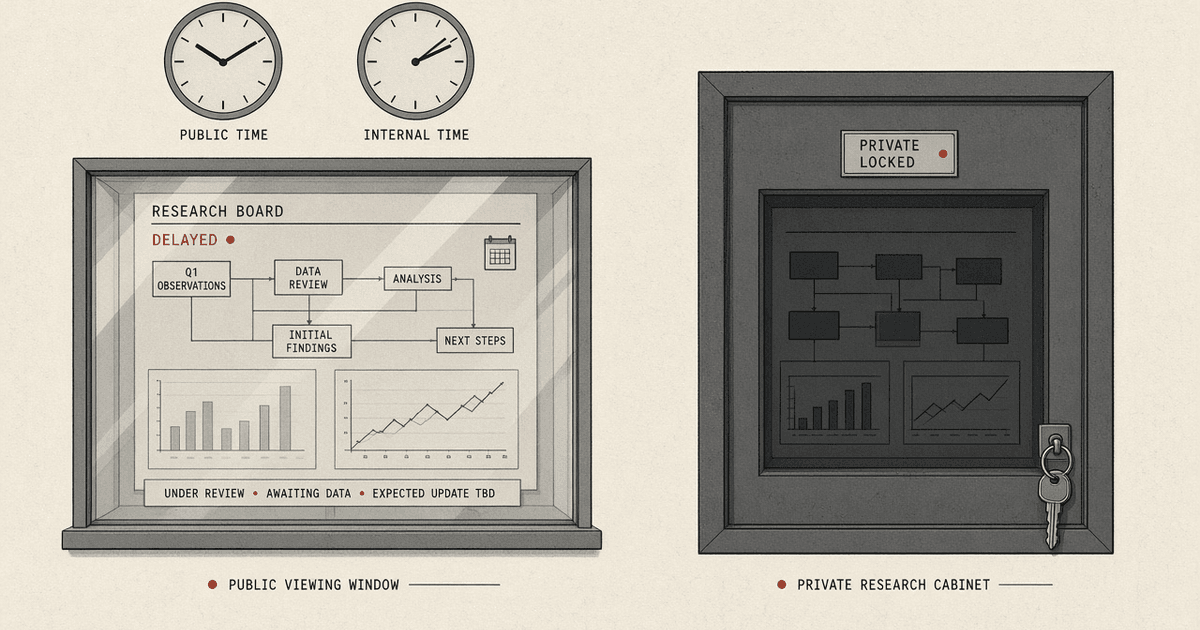
A private AI trading terminal is a single-tenant research desk that runs on machines your firm controls. The two states to keep apart are the public Demo - delayed public quotes, research literacy, and locked advanced features for acquisition - and the private install - a paid local Desk OS where you bring market-data keys and broker read-only tokens, and where watchlists, holdings context, and model runs stay inside your perimeter by default. When the path works, you can name which edition you opened, which provider badge is on the quote, and which sentences you still refuse (targets, buy lists, "Bloomberg data"). The look-alike to refuse is treating either edition as a licensed institutional terminal clone or as an order-entry platform.
This page owns the Demo vs private packaging distinction. Sibling jobs: how the browser board works in web research terminal how it works, public vs licensed data in public market data vs terminal data, citation hygiene in cited market numbers, stock-page honesty in what stock pages show, morning pass in morning market research routine, theme honesty in theme basket is not an ETF, client language in explaining AI themes without targets, live Demo at Desk terminal, theme hub AI semiconductors, learn delayed quote and theme basket.
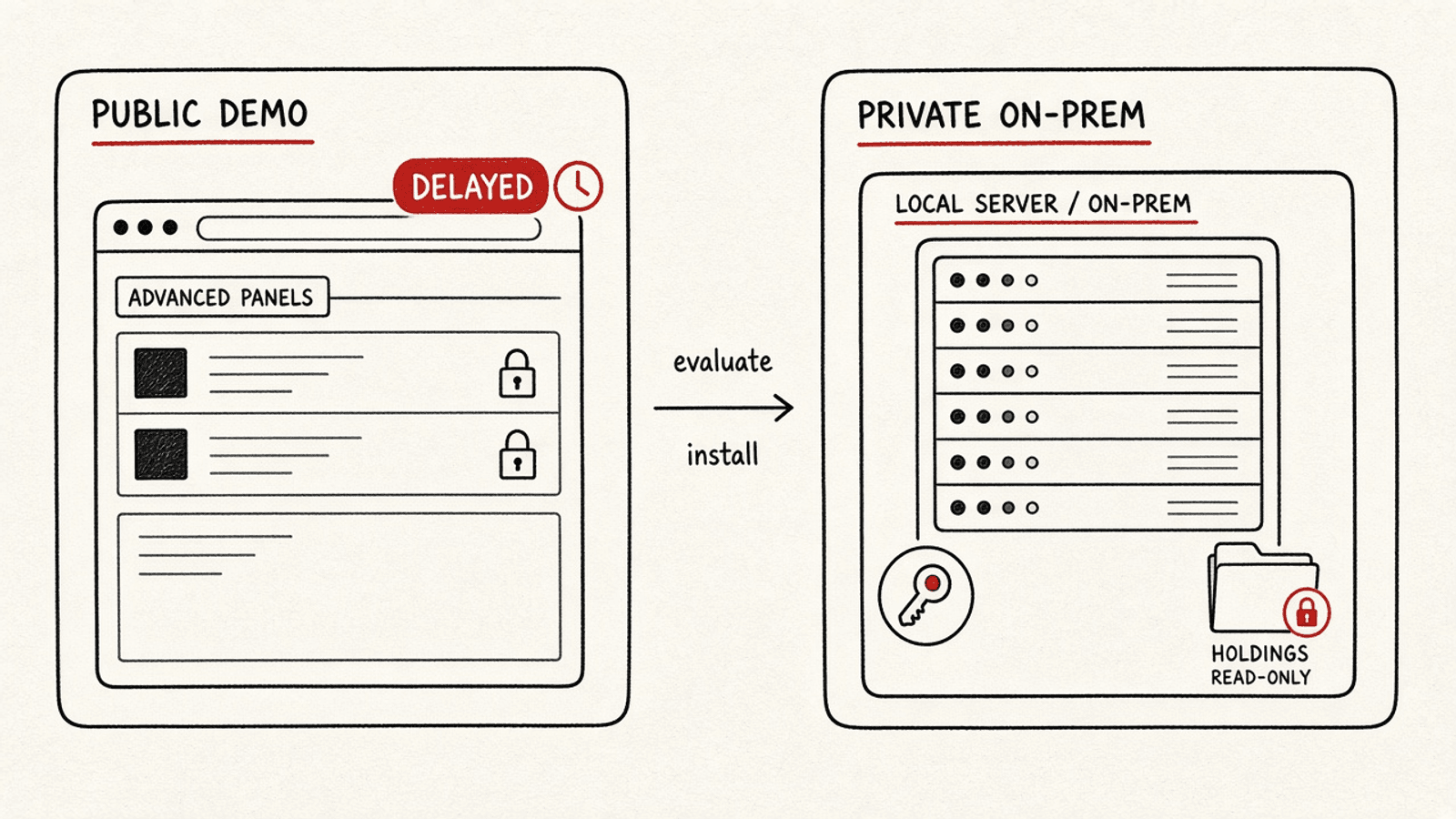
- During evaluation: stay on the Demo clock - delayed quotes, empty cells stay empty, no BYO keys.
- On install day: switch clocks - provision the local stack, then wire keys and read-only broker tokens.
- After the wrong inference stops: what remains is a research desk on your network, not a broker and not a target engine.
Who this page is for
Stay here if you are a trader on a small desk, an RIA associate, or an ops lead comparing a delayed public research board with a single-tenant install you would run yourselves. You need vocabulary for Demo vs private, BYO keys, and read-only holdings - not a pitch deck with invented customer logos.
Takeaway: This URL is for people who will open both the Demo and a packaging checklist before they talk about "private AI terminal."
Who should skip
Skip if you want order entry, OMS/EMS, or a social trade feed - those are out of scope. Skip if your only question is "are theme baskets ETFs" - use that page. Skip if you need filing-path mechanics for capex or RPO - start from where AI demand shows up or what RPO is not. Skip if you need a firm-specific compliance opinion - this is product literacy, not counsel.
Takeaway: Leave when the job is execution, filing arithmetic, or legal sign-off.
Out of scope
No buy/sell/hold language, no price targets, no claim of licensed exchange data owned by RomeWay, no "Bloomberg alternative" positioning, no guarantee of uptime or alpha. Broker connections described here are read-only by interface contract. Market-data fees, hardware, and any external LLM usage are customer costs. 10-Q figures on any linked stock page remain unaudited.
Takeaway: Packaging and residency literacy only - one intent per URL.
Clock: evaluation week to first private morning
Healthy sequence:
- Evaluation: open the Demo terminal; practice the morning routine; accept delayed badges and empty PE cells.
- Install day: provision the single-tenant stack (web shell, worker, stream path, model hub, Postgres) on customer hardware or private cloud.
- BYO keys: customer enters their own market-data credentials; quotes show a real-time or delayed badge from their provider - RomeWay does not resell the feed.
- Broker read-only: connect positions and cash via read-only tokens (for example Alpaca or IBKR Flex-style report access). No order methods exist on the provider contract.
- First private morning: Morning workspace uses the firm's universe and holdings context; AI brief/signals still pass grounding and refuse targets.
- Maintenance window: a three-year update and support term; after it ends, the install can keep running while updates stop unless renewed.
Trouble starts when step 5 language ("we are live") is spoken during step 1 - treating Demo delayed tape as private real-time, or treating a private research desk as a brokerage.
Takeaway: Demo clock first; install and keys second; never narrate private real-time while still on the public board.
What ships in the private stack (mechanism, not a SKU list)
On-prem here means the software runs where the customer points Docker (or equivalent). Typical small-desk hardware is enough for the default CPU model profile; more symbols and heavier scenario jobs need more RAM. Layers:
- Web shell + API: the same Desk OS interaction model as the Demo (command field, linked panels), pointed at local services.
- Worker: desk-day jobs, rule signals, alerts, broker sync - not order routing.
- Stream path: when BYO keys support it, quotes and filing/news events push into the board with source badges.
- Model hub: research objects such as FinBERT tape scores and K-line scenario bands. They are not price targets; numbers still need provider and as-of - see cited market numbers.
- Postgres (+ time-series where configured): local persistence for views, holdings snapshots, audit events.
- Optional LLM endpoint: an OpenAI-compatible base URL the customer configures later (including a self-trained model). Unconfigured means AI drafting panels stay dark while rules and data panels still work.
OpenBB, if enabled, stays an optional unmodified upstream container with its own license notice - not a multi-tenant hosted dependency for the public Demo.
Takeaway: Private stack = local Desk OS + BYO providers + research models; not a second broker.
Broker read-only and RIA surfaces
Read-only means positions, cash, and activity history for context - for example overlaying holdings against an editorial AI semiconductors theme. It does not mean tickets, algos, or "send order." Client-facing language still follows surface - caption - refuse. Product surfaces that matter for small advisory desks include audit events (who asked what, which sources, which model version) and a supervisory path before client notes export. Those are operational hygiene features, not a substitute for your firm's compliance program.
Takeaway: Holdings inform research; they do not authorize advice or trades from this URL.
Commercial frame: one deployment, three-year maintenance
The private edition is packaged as one company / one deployment with a published commercial frame of US$10,000 covering remote install support and a three-year maintenance window (security patches, version updates, provider/broker adapter fixes within the supported list, model-version regression checks, and break/fix support under the stated SLA). Excluded by design: market-data vendor fees, broker fees, customer hardware, external LLM usage, and custom one-off forks. Seat defaults and year-four renewal terms are commercial details outside this explainer's job; the mechanism point is flat packaging versus monthly multi-tenant SaaS.
Takeaway: Pay for a local research desk and a maintenance clock - not for RomeWay-owned market data.
Look-alike matrix
| Object | What it is | Common misread |
|---|---|---|
| Public Demo | Delayed public quotes + literacy board + locked private features | Treated as the paid real-time product |
| Private on-prem | Single-tenant Desk OS; BYO keys; read-only holdings; local residency default | Treated as licensed terminal data resale or a Bloomberg-style network |
| Charting app | Drawing and indicators on a hosted chart | Assumed to equal filing-aware desk + audit trail |
| Spreadsheet desk | Manual paste of quotes and notes | Assumed to equal linked panels, source badges, and grounding |
| Broker platform | Custody and order entry | Confused with read-only position sync into research |
Takeaway: Same keyboard feel does not mean same data license, residency, or order power.
Common mistakes
- Narrating Demo as private real-time - wrong clock; check the source badge and delayed quote learn page.
- Reading model scenario bands as targets - wrong object; bands are research scenarios, not objectives.
- Expecting a trade button after broker connect - wrong look-alike; read-only is intentional.
- Assuming RomeWay pays for Polygon/Alpaca/SIP - wrong commercial frame; BYO keys mean the customer's contract.
- Treating theme overlap with holdings as a recommendation - wrong exit; use theme honesty pages, not this packaging URL.
Takeaway: Most failures are clock errors or look-alike swaps, not missing charts.
FAQ
Is the public Demo the same product as the private install?
No. The Demo teaches the board with delayed public data. The private install is single-tenant software on your side with your keys.
Does RomeWay sell Bloomberg data or a Bloomberg replacement?
No. We do not claim Bloomberg data, and we do not market this as a Bloomberg alternative. You bring entitled feeds under your own contracts.
Can the private terminal place orders?
No. Broker adapters are read-only for positions and related account context.
What if we never configure an LLM endpoint?
Rule signals, filings surfaces, and quote panels still run. Drafting panels that need an LLM stay unavailable until LLM_BASE_URL (or equivalent) is set - including a later self-trained model.
What happens after three years of maintenance?
The software can keep running on your hardware. Updates and support under the original maintenance term stop unless you renew. That is an updates clock, not a data lock.
What to do next
- Learn the board first: how the web research terminal works - open the Demo.
- Data honesty: public vs terminal data and cited numbers.
- Client language: explain themes without targets.
- Private packaging: if Demo literacy is enough to evaluate residency and BYO keys, book a private-install conversation with Markets Desk - still research-only, still no targets.