
Broker read-only means the private terminal can pull positions, cash, and activity history for research context - and the provider interface intentionally exposes no place-order methods. The two states to keep apart are holdings context (what you already custody elsewhere) and account action (tickets, algos, suitability decisions under your firm process). When the path works, a Morning board can overlay an editorial theme against imported holdings without sounding like a rebalance. The look-alike to refuse is treating "broker connect" as an EMS trade button.
Sibling jobs: private packaging in private on-prem, BYO quotes in bring your own market data keys, client language in explaining AI themes without targets, theme honesty in theme basket is not an ETF, board intro in web research terminal, Demo terminal, theme AI semiconductors, learn theme basket.
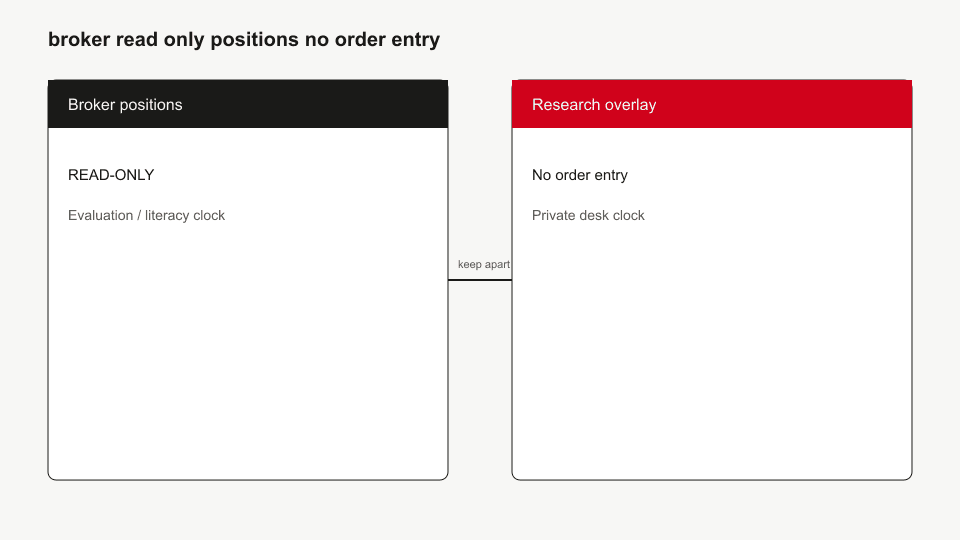
- During sync: import positions and cash; write an audit event.
- During research: overlay themes and filings siblings - vocabulary first.
- When someone asks "can we send the order here": switch clocks - that is the broker platform, not this desk.
Who this page is for
Traders and RIA ops leads who want holdings context on a research board without merging it into execution software.
Takeaway: Context in; orders out.
Who should skip
Skip if you need OMS/EMS or smart routing. Skip if you only need delayed quotes - start at BYO keys. Skip if you need a compliance opinion letter - this is product literacy.
Takeaway: Leave for execution or legal sign-off.
Out of scope
No order tickets, no short locate, no options exercise, no advice. Example adapters (Alpaca positions API used read-only; IBKR Flex report tokens; CSV day-file) are mechanism classes, not certified broker list forever.
Takeaway: Read-only contract only.
Clock: connect to overlay to refuse
- Create a read-only token at the broker or export a CSV.
- Store encrypted credentials on the private install.
- Sync on an interval; record who/when/source in the audit log.
- Open a theme or filing sibling; describe overlap as research framing.
- Refuse target or "buy the basket" language - client script.
Takeaway: Sync clock - trade clock.
Interface contract: no order methods
Product rule: the BrokerReadProvider surface lists positions, cash, accounts, and activities - not submitOrder. If a junior sees a "Connect broker" control, the observable result is holdings rows and cash, not a ticket blotter. CSV remains the fallback when OAuth or Flex is unavailable.
Takeaway: Absence of order APIs is the feature.
Look-alike matrix
| Object | What it is | Misread |
|---|---|---|
| Read-only sync | Positions/cash snapshot | Live OMS |
| Theme overlay | Editorial membership vs holdings | Model portfolio |
| CSV import | Day-file mapping | Broker-certified feed |
| Audit event | Who synced what | Trade confirmation |
Takeaway: Overlay is vocabulary, not a ticket.
Common mistakes
- Granting trading-scope OAuth "just in case."
- Reading theme overlap as a buy list.
- Skipping audit when a token rotates.
- Demo screenshot with example holdings narrated as the client's book.
Takeaway: Scope the token; scope the sentence.
FAQ
Can I place trades from the terminal?
No. Read-only means no order entry in the interface contract.
Does holdings sync work on the public Demo?
Demo uses example universes for literacy. Real broker tokens belong on the private install.
Is Flex the same as a live streaming blotter?
No. Flex-style report pulls are batch/read snapshots, not execution streams.
Can we show this overlay to a client?
Only under your firm process - and still without targets; see client language.
What to do next
- Supervisory queue before client-facing notes.
- Theme - ETF before overlay stories.
- Evaluate UI on the Demo without wiring production tokens.